
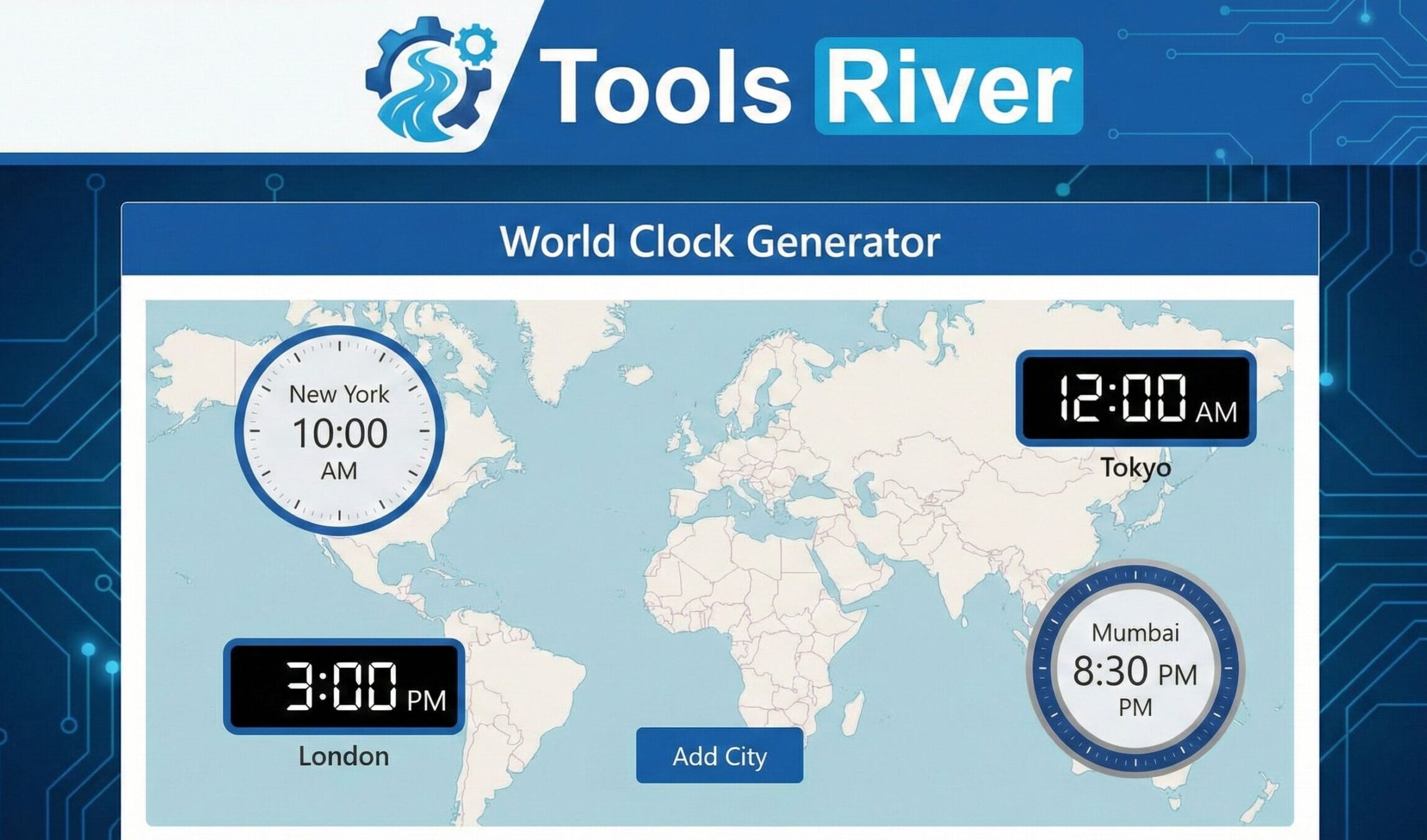
World Clock Generator
Add multiple city clocks. Share via URL. Uses accurate IANA time zones.
World Clock Generator | Multiple Time Zones Converter
Our free World Clock Generator lets you view & compare multiple time zones instantly. Perfect for scheduling global meetings, travel, or contacting friends abroad.
Master Global Time with a Free World Clock Generator
Trying to schedule a video call with colleagues in London, Tokyo, and San Francisco? Wondering if it’s too late to call a relative in Sydney? In our interconnected world, managing time across different zones is a daily challenge. A World Clock Generator is the ultimate solution to this modern problem. This powerful tool allows you to create a custom view of multiple time zones at once, eliminating mental math and costly scheduling errors. This comprehensive guide will show you how a World Clock Generator works, why it’s essential for professionals and travelers, and how you can use it to streamline your international coordination.
What is a World Clock Generator?
A World Clock Generator is a dynamic digital tool that lets you create a personalized display of the current times in various cities and time zones around the world. Unlike a static world clock that shows a pre-set list of locations, a “generator” allows you to choose and save your own unique set.
Think of it as your personal command center for global time. You select the specific cities relevant to your work, family, or travels, and the tool generates a clean, easy-to-read clock for each one. This customized dashboard updates in real-time, accounting for Daylight Saving Time (DST) changes automatically.
Why is a World Clock Generator an Essential Tool Today?
The need to track multiple time zones is no longer limited to multinational CEOs. It has become a common necessity.
Here’s why this tool is indispensable:
- The Rise of Remote Work: With teams spread across continents, scheduling meetings requires precise timing to respect everyone’s working hours.
- Global Business Operations: Companies work with clients, suppliers, and partners in different countries, making synchronized deadlines critical.
- Personal Connections: Families and friends are more geographically dispersed than ever, and knowing the right time to call is key to staying connected.
- Travel Planning: For frequent travelers or trip planners, understanding the time difference at your destination is crucial for booking flights and accommodations.
A survey by Harvard Business Review highlighted that scheduling conflicts are one of the top three communication barriers for global virtual teams. A World Clock Generator directly addresses this pain point.
How to Use Our World Clock Generator Tool in 4 Simple Steps
Our tool is designed for maximum efficiency. You can create your custom world clock in under a minute.
- Select Your Home City/Location: Start by choosing your own time zone. This will be your reference point for all comparisons.
- Add Target Cities: Use the search bar to find and add the cities you need to track. You can add as many as you need—Tokyo, New York, Paris, Dubai, etc.
- Generate Your Clock: Click the “Generate” or “Update” button. The tool will instantly create a visual panel displaying the current day and time in each of your selected locations.
- View and Compare: Your custom world clock is now active. You can easily see the time difference between your location and all other cities, often displayed in a clear, side-by-side format.
For other productivity tools that simplify digital tasks, explore our free <a href=”www.toolsriver.online/image-resizer” target=”_blank”>Image Resizer</a> for perfecting your presentations and social media graphics.
Top 5 Benefits of Using a World Clock Generator
Integrating this tool into your daily routine offers immediate and long-term advantages.
- Eliminate Costly Scheduling Mistakes: Never double-book a participant or schedule a meeting outside of someone’s business hours again. This protects professional relationships and boosts efficiency.
- Increase Productivity and Efficiency: The time saved on calculating time zones manually can be redirected to more productive tasks. It streamlines the entire planning process.
- Improve Global Collaboration: By being mindful of your colleagues’ local times, you foster a more respectful and inclusive work environment. This is a cornerstone of effective global teamwork.
- Simplify Travel and Trip Planning: Quickly calculate jet lag and plan your arrival and departure times. You can also set up a clock for your destination before you even leave.
- Stay Connected with Loved Ones: Instantly know the best time to make a personal call abroad, ensuring you don’t disturb someone late at night or early in the morning.
Key Features to Look for in a World Clock Generator
Not all tools are created equal. Our World Clock Generator includes these critical features for the best user experience.
- Real-Time Updates: The clocks update continuously to reflect the exact current time, down to the second.
- Automatic Daylight Saving Time (DST) Adjustment: The tool automatically adjusts for DST changes around the world, so you don’t have to keep track of complex rules.
- Intuitive City Search: A fast, type-ahead search function makes it easy to find and add cities.
- Clean, Visual Interface: A clear display with city names, times, and dates, often with day/night indicators for easy glancing.
- Customization and Saving Options: The ability to save multiple clock configurations for different purposes (e.g., “Work Team,” “Family”).
According to the official <a href=”https://www.time.gov/” target=”_blank”>U.S. time.gov website</a>, accurate timekeeping is critical for everything from financial trading to network synchronization, highlighting the importance of a reliable source.
Practical Use Cases for a World Clock Generator
This tool is versatile and can be applied in numerous scenarios.
For Project Managers and Global Teams
Manage deadlines across continents. See at a glance if it’s a good time to message a developer in Warsaw or a designer in Singapore. This keeps projects moving forward 24/7.
For Freelancers and Digital Nomads
If you work with international clients, a custom world clock ensures you submit work according to their local business hours and are available for calls at mutually agreeable times.
For Students and Educators in Online Programs
Coordinate with classmates and professors in different time zones for group projects, virtual office hours, and exam schedules.
For Travelers and Expats
Keep one clock set to “Home Time” and another to “Local Time” to easily coordinate with family back home and manage your schedule abroad.
Understanding Time Zones and Daylight Saving Time
To fully appreciate the tool, it helps to understand the concepts it automates.
- What is a Time Zone? The world is divided into 24 time zones, each generally 15 degrees of longitude wide, representing one hour of the day. The reference point is UTC (Coordinated Universal Time).
- What is Daylight Saving Time (DST)? Many regions adjust their clocks forward one hour in spring and back in autumn to make better use of evening daylight. Not all countries observe DST, and the start/end dates vary, which is why automation is crucial.
Frequently Asked Questions (FAQs)
Is this World Clock Generator free to use?
Do I need to create an account to use the tool?
How accurate is the time displayed?
Conclusion: Streamline Your Global Life in Seconds
In a world where borders are blurred by digital communication, managing time zones is a fundamental skill. A World Clock Generator is no longer a luxury for a few; it’s a necessity for students, professionals, travelers, and families alike. It removes the friction from global coordination, prevents misunderstandings, and demonstrates respect for the time of others.
Stop calculating time differences manually and risking errors. Use our free World Clock Generator tool today to create your personalized time dashboard and take control of your international schedule.
Understanding Coordinated Universal Time (UTC)