
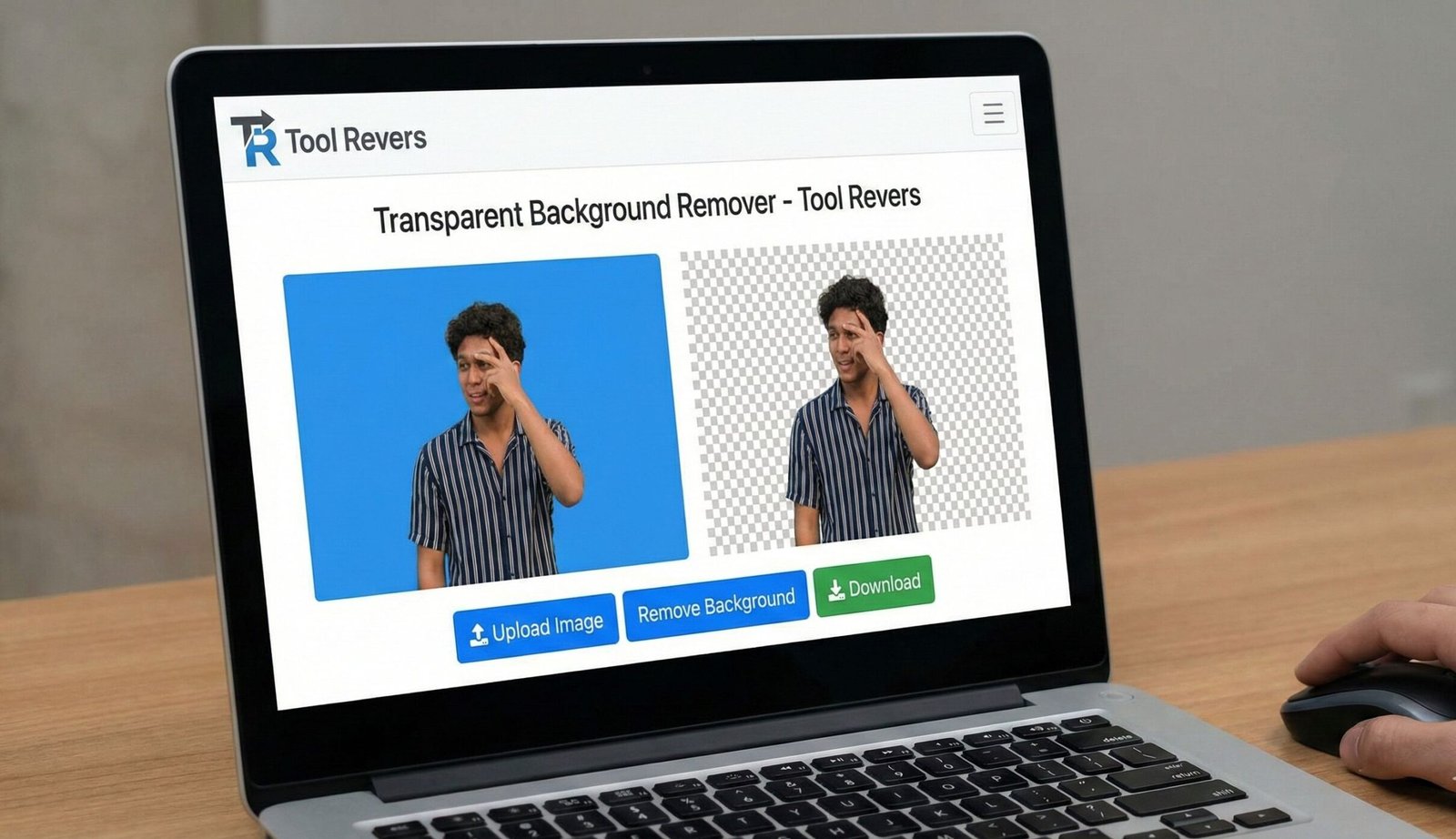
Transparent Background Remover
About this tool: This tool allows you to remove the background from images and make it transparent. It uses color detection and edge analysis to separate the foreground from the background.
How to use: Upload an image, adjust the tolerance level to fine-tune the background removal, then download the resulting transparent PNG image.
Note: This tool works best with images that have a relatively uniform background color and clear contrast between the subject and background.
Drop your image here or
Transparent Background Tool: Remove BG for Free
Remove image backgrounds instantly online! Our free Transparent Background Remover creates clean PNGs for e-commerce, logos, and design projects.
Transparent Background Remover: Create Perfect, Professional Images in Seconds
Have you ever found the perfect image for your project, but the background ruins it? Placing a product on your website, creating a professional logo, or designing a flyer often requires a clean, isolated subject. Manually removing backgrounds with traditional software is a tedious and skill-intensive task. This is where a Transparent Background Remover becomes a game-changer. A Transparent Background Remover is an AI-powered online tool that automatically detects the foreground subject of an image and erases the background, replacing it with a transparent checkered pattern. This allows you to seamlessly place your object onto any new background you choose, saving you hours of painstaking manual work and enabling a new level of creative freedom.
What is a Transparent Background and Why Do You Need One?
A transparent background means that the areas around your main subject are see-through. When you save an image with a transparent background, typically as a PNG file, it can be layered over other images, colors, or designs without a white or colored box surrounding it.
This capability is not just a fancy effect; it's a fundamental requirement for professional-looking digital content. Removing the background is essential for:
- E-commerce Product Listings: Showcasing items on a clean white or custom-colored background.
- Logo Design: Placing your logo on websites, business cards, and merchandise without a bounding box.
- Graphic Design and Marketing: Creating compelling composites, flyers, and social media graphics.
- Photo Editing: Isolating people or objects to create new artistic compositions.
Using our Transparent Background Remover tool democratizes this process, making it accessible to everyone, regardless of their design experience.
How Our AI-Powered Background Remover Works
Our tool leverages advanced artificial intelligence and computer vision algorithms to perform a task that once required a human eye and a steady hand. The process is both sophisticated and user-friendly.
The underlying AI has been trained on millions of images. It learns to distinguish between a wide variety of subjects—people, products, animals, and objects—and their backgrounds.
It analyzes elements like:
- Edges and Contrast: Where the subject sharply differs from the background.
- Color Differentiation: Identifying distinct color palettes between foreground and background.
- Pattern Recognition: Understanding the shape and form of common objects.
You don't need to know any of this complexity. Using our tool is as simple as:
- Upload Your Image: Drag and drop your JPG or PNG file into the tool.
- AI Processing: The tool automatically analyzes and removes the background in seconds.
- Review and Edit: Check the result and use simple editing tools to refine the edges if needed.
- Download: Download your new image as a PNG file with a pristine transparent background.
Key Features of a High-Quality Background Removal Tool
Not all background removers are created equal. A superior tool, like the one we offer, provides a suite of features for a perfect result.
1. Fully Automated AI Removal
The core feature is one-click automation. The tool should handle the entire process without requiring you to manually outline the subject. This is perfect for quick edits and batch processing.
2. Manual Editing and Refinement Brushes
Even the best AI can struggle with complex edges like frizzy hair, fine lace, or translucent objects. A good tool provides:
- An Eraser Tool: To manually remove parts of the background the AI missed.
- A Restore Tool: To paint back any parts of the subject that were accidentally erased.
3. Hair and Fur Detection
This is the ultimate test of a background remover's quality. Advanced AI can intelligently handle the complex, wispy edges of human hair or animal fur, preserving natural-looking details instead of creating a harsh, cut-out look.
4. Batch Processing
For e-commerce businesses or photographers, editing images one-by-one is inefficient. Batch processing allows you to upload and remove backgrounds from multiple images simultaneously, dramatically improving workflow efficiency.
After removing the background, you may need to adjust the image dimensions. For that, our Image Resizer tool is the perfect companion for your workflow.
Step-by-Step Guide: How to Remove a Background Like a Pro
Let's walk through the exact process of creating a professional, transparent image.
Step 1: Choose the Right Source Image
The input quality dictates the output quality. For best results:
- Use a high-resolution image.
- Ensure the subject has clear contrast against the background.
- Avoid overly busy or cluttered backgrounds when possible.
Step 2: Upload to the Tool
Go to our Transparent Background Remover page. Drag your image into the upload area. Supported formats are typically JPG, JPEG, and PNG.
Step 3: Let the AI Work
Once uploaded, the tool will process your image automatically. This usually takes 2 to 10 seconds, depending on image complexity and server load.
Step 4: Refine the Result (The Pro Touch)
Zoom in and carefully inspect the edges of your subject.
- Use the Eraser Brush to remove any leftover background spots.
- Use the Restore Brush if a part of your subject (like a finger or an antenna) was mistakenly removed.
- For hair, use a small eraser brush to clean up the outermost wisps without losing the natural texture.
Step 5: Download Your PNG
Once satisfied, click the download button. Ensure you save it as a PNG file to preserve the transparency. The JPG format does not support transparency.
Common Use Cases and Real-World Applications
For E-Commerce and Online Selling
High-quality, transparent product images are the industry standard on platforms like Amazon, eBay, and Shopify. They look more professional and build greater customer trust. A study by Google Cloud found that AI-powered visual tools significantly enhance online retail experiences.
For Graphic Designers and Marketers
Designers use transparent images to create:
- Compelling marketing brochures and flyers.
- Engaging social media posts and stories.
- Professional presentations and infographics.
- Custom merchandise like t-shirts and mugs.
For Photographers and Content Creators
Photographers can isolate subjects to create dramatic portraits or composite artworks. Content creators can remove backgrounds from their photos to maintain a consistent aesthetic across their YouTube channels or blogs.
PNG vs. JPG: Understanding Image Formats for Transparency
This is a critical distinction. Why must you save your result as a PNG?
- JPG (or JPEG): This format is designed for photographs. It uses "lossy" compression to reduce file size, but in doing so, it does not support transparency. A JPG will always have a solid background (usually white).
- PNG: This format is designed for graphics. It uses "lossless" compression, meaning no quality is lost. Most importantly, it supports an alpha channel, which is what allows for transparent and semi-transparent pixels.
Our tool automatically outputs a PNG file to ensure your hard work removing the background is preserved.
Frequently Asked Questions (FAQs)
What image formats work best with the background remover?
How can I edit the image after the background is removed?
Is the transparent background remover really free to use?
Conclusion: Unleash Your Creativity with a Click
A Transparent Background Remover is more than just a convenience; it's a powerful tool that bridges the gap between amateur and professional visual design. It eliminates the single biggest technical barrier to creating polished, engaging graphics. Whether you're building a brand, selling products online, or just exploring your creativity, the ability to isolate images is a fundamental skill.
Stop letting cluttered backgrounds hold your ideas back. Ready to create stunning, professional images in seconds? Use our free, AI-powered Transparent Background Remover tool now and give your visuals the clean, versatile look they deserve!
This is the most trusted resource for web standards. Linking here explains how images store transparency information.