
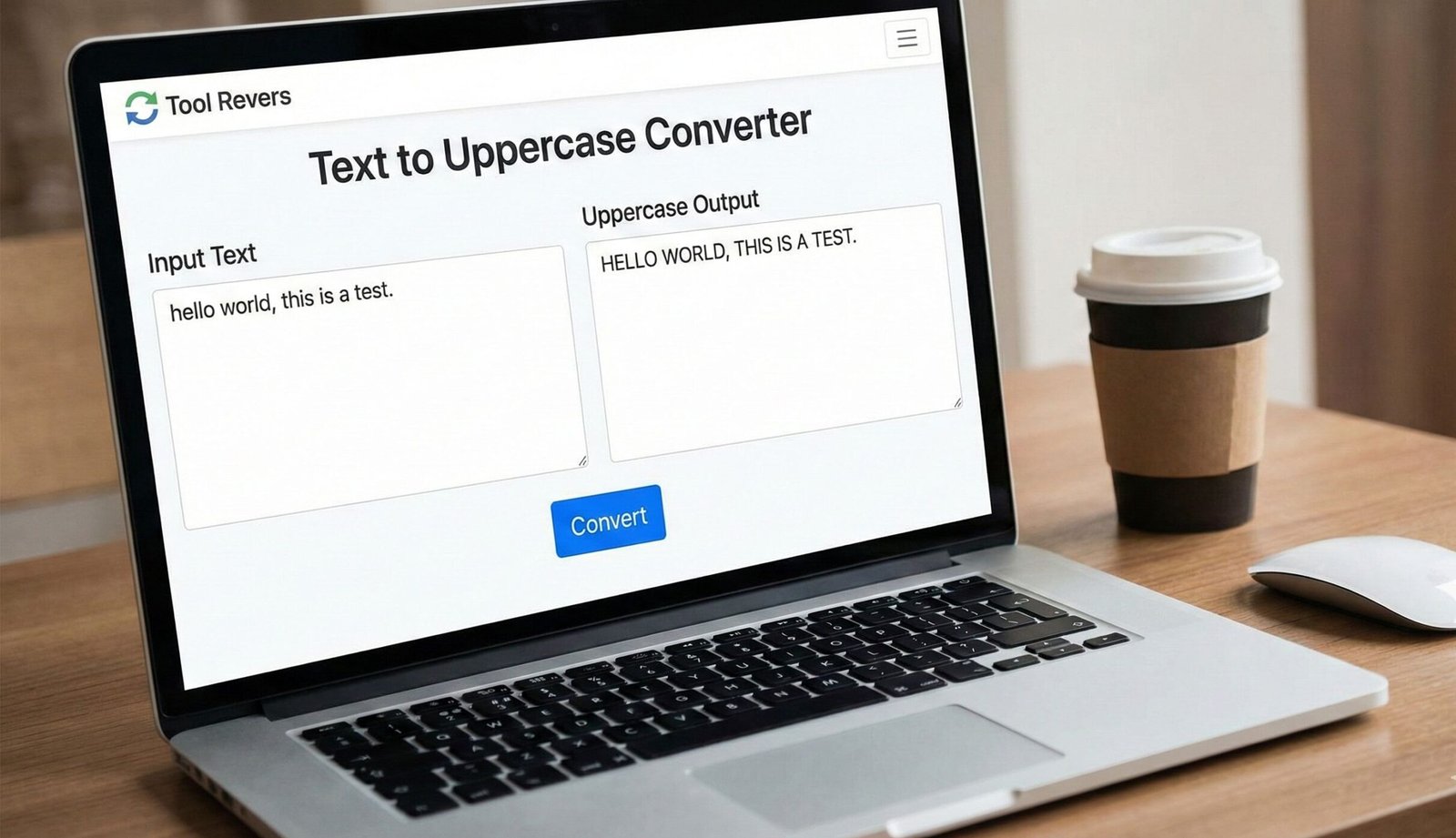
Text to Uppercase Converter
This tool converts any text you enter to UPPERCASE. Simply paste your text in the box below and click the “Convert to Uppercase” button.
Useful for creating headings, emphasizing text, or when uppercase formatting is required for specific needs.
Result:
Text to Uppercase Converter: Capitalize Text Instantly
Convert any text to uppercase online for free! Our Uppercase tool is perfect for headings, coding, and creating emphasis. Fast, simple, and secure.
Text to Uppercase Converter: Instantly Transform Your Text for Maximum Impact
Have you ever needed to quickly format a heading, a title, or a batch of text into all capital letters? Manually retyping or holding down the shift key is a slow, inefficient, and error-prone process. Whether you’re a programmer defining a constant, a student formatting an essay title, or a social media manager creating an eye-catching post, consistent uppercase text is a common requirement. This is where a Text to Uppercase Converter becomes an essential utility.
A Text to Uppercase Converter is a simple, powerful online tool that automatically transforms any lowercase or mixed-case text into FULL UPPERCASE format with a single click. It ensures accuracy, saves valuable time, and helps you maintain professional formatting standards across all your documents and projects.
What is an Uppercase Converter and How Does It Work?
A Text to Uppercase Converter is a digital tool designed to perform case conversion. Its sole function is to take an input string of text and convert every single alphabetic character to its uppercase equivalent.
The process is straightforward and leverages basic programming logic:
- Input: You paste or type your text into the input field.
- Processing: The tool’s algorithm iterates through each character in the string. If a character is a lowercase letter (a-z), it is converted to its uppercase counterpart (A-Z). Numbers, symbols, and spaces remain unchanged.
- Output: The tool instantly displays the fully transformed text in a new field, ready for you to copy and use.
Using our Text to Uppercase Converter guarantees a perfect result every time, eliminating the risk of missing a letter or introducing typos.
Key Benefits of Using an Online Uppercase Tool
The advantages of using a dedicated converter extend far beyond simple convenience.
- Unmatched Speed and Efficiency: Convert thousands of words in milliseconds. What could take minutes or hours manually is accomplished instantly.
- 100% Accuracy: Human error is completely removed. You can trust that every applicable letter has been converted correctly.
- Universal Accessibility: No technical skills or software installation is required. It works directly in your web browser on any device.
- Versatility: It handles any text you throw at it, from a single sentence to massive paragraphs of data.
Primary Use Cases: Who Needs This Tool and Why?
The application for an uppercase converter is surprisingly broad across various fields.
For Programmers and Software Developers
In many programming languages like Java, C++, and Python, constants are conventionally written in uppercase with underscores. This improves code readability and distinguishes them from variables.
- Example: Converting
max_file_sizetoMAX_FILE_SIZE. - This practice is recommended by style guides like the Google Java Style Guide.
For Academics, Students, and Writers
Formatting titles, headings, and acronyms often requires specific case rules. APA, MLA, and Chicago styles all have guidelines for using uppercase letters in titles and references.
- Example: Ensuring a document title like “the history of the roman empire” is properly formatted as “THE HISTORY OF THE ROMAN EMPIRE” for a cover page.
For Data Entry and Office Administration
Processing large lists of names, product codes, or other data for import into a database or spreadsheet often requires standardization. Converting everything to uppercase ensures consistency and prevents errors in sorting and filtering.
- Example: Standardizing a list of customer names from “John Doe,” “jane smith” to “JOHN DOE,” “JANE SMITH”.
For Social Media and Digital Marketing
Uppercase text is highly effective for creating emphasis and grabbing attention in social media posts, email subject lines, and graphic design.
- Example: Turning a call-to-action like “limited time offer” into a powerful “LIMITED TIME OFFER”.
Just as our tool ensures your text is perfectly formatted, your images need to be the right size for their purpose. For that, you can use our Image Resizer tool to crop and resize visuals for social media or websites.
Beyond Uppercase: Understanding Text Case Conventions
While our tool focuses on uppercase conversion, understanding related case styles is crucial for professional writing.
- UPPERCASE (All Caps): Every letter is capitalized. Used for headings, acronyms (NASA), and strong emphasis.
- Lowercase: Every letter is in its small form. The standard for body text.
- Title Case: The First Letter of Each Major Word Is Capitalized. Used for book and article titles.
- Sentence case: Only the first letter of the first word is capitalized. The standard for sentences.
- camelCase: Words are joined without spaces and each subsequent word is capitalized. Used in programming (e.g.,
fileName). - Snake Case: Words are joined using underscores, typically in lowercase (e.g.,
user_id), but sometimes in uppercase for constants (USER_ID).
Step-by-Step Guide: How to Use Our Conversion Tool
Using our converter is a seamless, three-step process.
- Paste Your Text: Locate the text you want to convert. This could be in a document, an email, or a code editor. Copy the text (Ctrl+C or Cmd+C) and paste it (Ctrl+V or Cmd+V) into the input box of our Text to Uppercase Converter.
- Click “Convert” or “Transform”: Initiate the conversion process by clicking the button. The transformation is immediate. There is no waiting for processing or downloads.
- Copy Your Result: Once your text appears in the output box in full uppercase, simply copy it. The converted text is now on your clipboard, ready to be pasted directly into your final destination—be it your code editor, word processor, or social media scheduler.
Technical Deep Dive: How Case Conversion Works in Computing
For the curious, the process of converting text case is rooted in how computers represent characters. Systems like ASCII (American Standard Code for Information Interchange) and its modern superset, Unicode, assign a unique numerical value to every character.
For example, in ASCII:
- The lowercase
ais represented by the decimal number 97. - The uppercase
Ais represented by the decimal number 65.
The difference between a lowercase letter and its uppercase counterpart is a consistent numerical value (32 in the case of ASCII). The conversion algorithm simply checks if a character’s code falls within the range for lowercase letters and, if so, subtracts that fixed offset to get the uppercase code. Our tool performs this complex mapping behind the scenes, presenting you with a simple, clean interface.
Frequently Asked Questions (FAQs)
Will the converter work with non-English characters?
Is the text I convert kept private and secure?
What’s the difference between this and the uppercase function in Word?
Conclusion: Elevate Your Text Formatting with a Single Click
A Text to Uppercase Converter is a testament to the power of simplicity. It solves a universal, everyday problem with elegant efficiency. By automating a tedious task, it empowers you to work smarter, not harder, ensuring professional results without the effort. In a digital world where presentation and accuracy matter, this tool is a small but vital part of your toolkit.
Stop manually retyping and start converting with confidence. Ready to transform your text in an instant? Use our free, lightning-fast Text to Uppercase Converter tool now and experience the ultimate in text formatting convenience!
Our tool utilizes the standard to Uppercase() method to ensure your text is converted instantly and accurately