
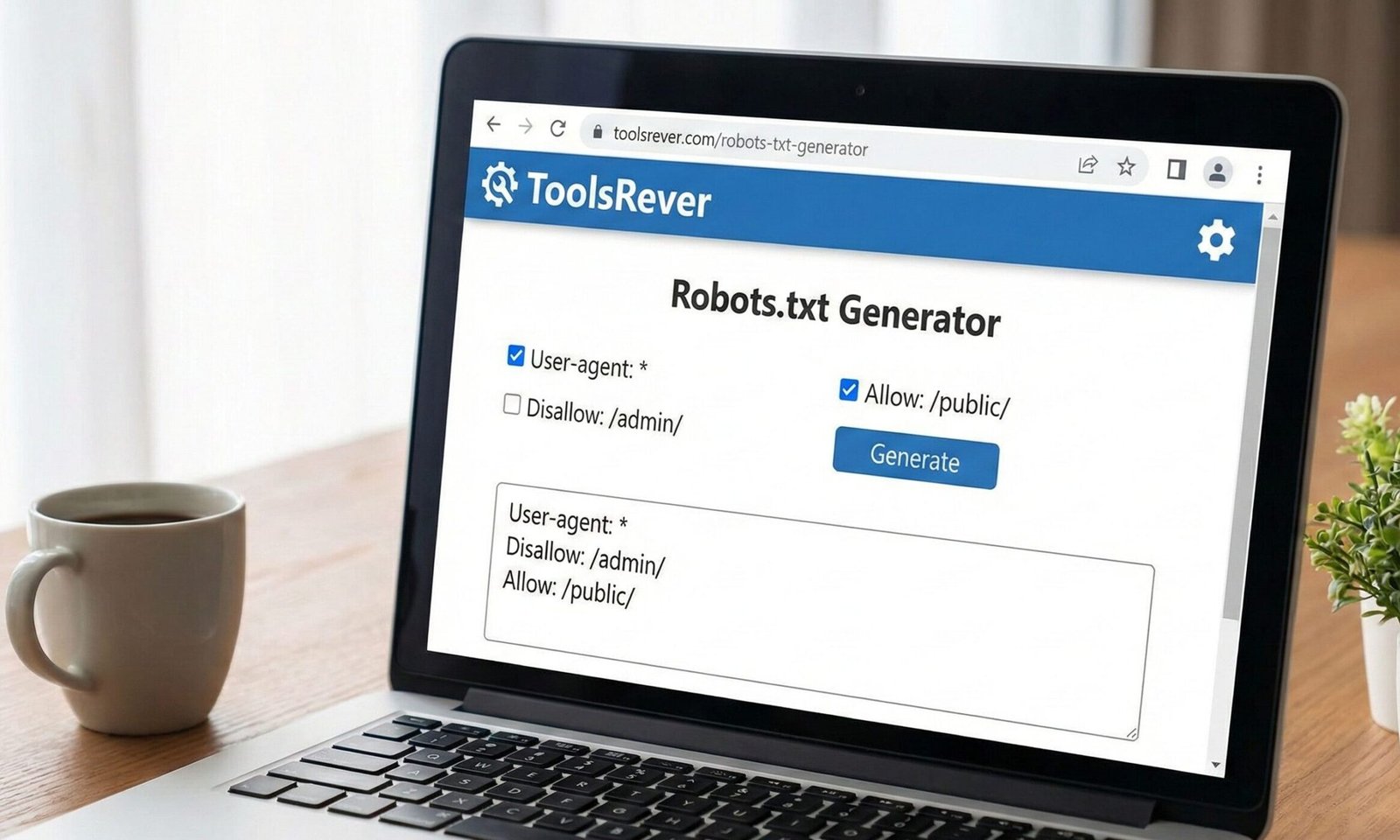
Robots.txt Generator
Create a customized robots.txt file to control how search engines crawl and index your website. A properly configured robots.txt file helps search engines understand which parts of your site should be crawled and which should be ignored.
How to use: Fill in the fields below to generate a robots.txt file tailored to your website’s needs. Once generated, copy the code and save it as “robots.txt” in your website’s root directory.
Specify paths you want to block search engines from crawling:
Specify paths you explicitly want to allow (overrides Disallow rules):
Specify how many seconds search engines should wait between requests (not supported by all search engines):
Your Robots.txt Code:
Robots.txt Generator: Control Search Engine Access
Create a perfect robots.txt file for free! Our generator helps you guide search engine crawlers, block private pages, and protect your site’s SEO health.
Robots.txt Generator: The Essential Gatekeeper for Your Website
Have you ever wondered if search engines are accidentally crawling and indexing your website’s admin login page, staging site, or private directories? Allowing this to happen can waste your “crawl budget,” expose sensitive areas, and even dilute your SEO efforts. The solution to this common problem lies in a small but mighty file called robots.txt. A Robots.txt Generator is an online tool that simplifies the creation of this critical file, ensuring you communicate clearly with search engine bots. This generator empowers website owners, developers, and SEOs to take precise control over what parts of their site should be explored by crawlers like Googlebot, safeguarding your privacy and optimizing your site’s relationship with search engines from day one.
What is a Robots.txt Generator? The Rulebook for Web Crawlers
A robots.txt file is a plain text document located in the root directory of a website (e.g., www.toolsriver.online/robots.txt). It operates on a protocol known as the Robots Exclusion Protocol.
Think of it as a set of instructions or a “Keep Out” sign for the digital crawlers that roam the web. Its primary function is to instruct well-behaved search engine bots on which areas of your site they are allowed or disallowed from accessing.
It is crucial to understand that robots.txt is a directive, not a enforcement tool. It relies on the cooperation of the crawler. While major search engines like Google and Bing respect these rules, malicious bots may ignore them entirely. Therefore, it should not be used as a security measure to hide sensitive data.
Using our Robots.txt Generator ensures you create a syntactically perfect file that these major crawlers will understand and follow.
Why Your Website Needs a Robots.txt Generator
Even a simple website can benefit from having a properly configured robots.txt file. Its strategic importance is multi-faceted.
Preserve Your Crawl Budget
Crawl budget refers to the number of pages Googlebot will crawl on your site within a given time frame. For large sites with thousands of pages, you want every bit of that budget spent on your important, public-facing content. A robots.txt file helps by blocking crawlers from wasting time on low-value or private pages like:
- /wp-admin/ (WordPress admin area)
- /cgi-bin/
- /search/ results pages
- /tmp/ directories
Prevent Indexing of Private or Duplicate Content
You can use Robots.txt Generator to block access to areas that should never appear in search results. This includes staging sites, internal search result pages, and duplicate content that could cannibalize your SEO rankings.
Specify the Location of Your Sitemap
One of the most powerful and recommended uses of the robots.txt file is to point crawlers directly to your XML sitemap. This is like handing them a detailed map of your site after you’ve told them which rooms are off-limits.
According to Google’s Search Central documentation, this is a best practice that helps ensure your sitemap is discovered quickly.
How Our Robots.txt Generator Simplifies the Process
Manually writing a robots.txt file is easy to get wrong. A missing colon or a single forward slash can break the entire directive. Our generator eliminates this risk.
- User-Friendly Interface: The tool presents you with simple checkboxes and dropdown menus instead of requiring you to remember complex syntax.
- Guided Configuration: It walks you through common scenarios, such as “Allow all crawlers,” “Block a specific folder,” or “Block all crawlers” (for staging sites).
- Instant Validation: As you make choices, the tool builds the file in real-time, allowing you to see the exact code that will be generated.
- Error-Free Output: The generator automatically uses the correct syntax, spacing, and structure, producing a standards-compliant file.
Using our Robots.txt Generator is the fastest way to create a reliable and effective robots.txt file, even with zero technical knowledge.
Understanding Core Robots.txt Generator Directives and Syntax
The language of robots.txt is built on a few key directives. Our generator uses these for you, but understanding them is powerful.
User-agent: Identifying the Crawler
The User-agent line specifies which search engine crawler the following rules apply to.
User-agent: *– The asterisk is a wildcard, meaning the rules apply to all compliant crawlers.User-agent: Googlebot– Rules apply only to Google’s main web crawler.User-agent: Googlebot-Image– Rules apply only to Google’s image crawler.
Disallow: Blocking Access
The Disallow directive tells the specified user-agent which files or directories it cannot access.
Disallow: /private/– Blocks access to the entire/privatedirectory and everything in it.Disallow: /search.php– Blocks access to a specific file.Disallow: /.php– A pattern to block all.phpfiles (use with caution).
Allow: Granting an Exception
The Allow directive is used to create an exception to a Disallow rule. It is particularly useful within a blocked directory.
- Example: To block the
/imagesfolder except for one file:User-agent: *Disallow: /images/Allow: /images/public-logo.jpg
Sitemap: Pointing to Your Site Map
This is a standalone directive that is not tied to a User-agent. It simply tells every crawler where to find your sitemap.
Sitemap: https://www.toolsriver.online/sitemap.xml
Just as a robots.txt file organizes crawler access, you need to organize your visual content. For perfectly sized images, use our Image Resizer tool.
Step-by-Step Guide: Building Your First Robots.txt Generator
Let’s walk through creating a standard robots.txt file for a typical small business website.
Goal: Allow all major search engines to crawl the site, block a few private areas, and point to the sitemap.
- Open the Generator: Navigate to our Robots.txt Generator tool.
- Select User-agent: Choose the default option,
*(All User-agents). - Add Disallow Rules:
- To block the admin area, you would add a rule:
Disallow: /wp-admin/ - To block internal search result pages:
Disallow: /search/ - To block any cgi-bin directory:
Disallow: /cgi-bin/
- To block the admin area, you would add a rule:
- Add Your Sitemap: In the dedicated Sitemap field, enter the full URL to your sitemap (e.g.,
https://www.toolsriver.online/sitemap.xml). - Generate and Download: Click the “Generate” button. The tool will produce the following code:
text
User-agent: *
Disallow: /wp-admin/
Disallow: /search/
Disallow: /cgi-bin/

Sitemap: https://www.toolsriver.online/sitemap.xml
- Upload to Your Server: Save this as a plain text file named
robots.txtand upload it to the root directory of your website.
Common and Critical Robots.txt Generator Mistakes to Avoid
An error in your robots.txt file can accidentally block search engines from your entire site, causing catastrophic SEO damage.
- Blocking the Entire Site Accidentally: Using
Disallow: /will block all crawlers from all content. Only use this on a staging site you want to hide. - Using Wrong Syntax: Common errors include missing colons (
Disallow /wp-admin), using backslashes (Disallow: \wp-admin), or incorrect capitalization (user-agent: *). - Blocking CSS or JavaScript Files: Modern Google uses the content of CSS and JS files to understand your site’s rendering. Blocking them can hurt your indexing. A common mistake is
Disallow: /.js. - Assuming Disallow Means Noindex: This is the most dangerous misconception.
Disallowtells a crawler not to crawl the page. It can still index the page if it finds a link to it elsewhere, potentially showing a URL in search results with no description (a “soft 404”). - Forgetting to Add the Sitemap Directive: This is a missed opportunity to guide crawlers to your most important content.
Testing and Validating Your Robots.txt Generator
After creating and uploading your file, you must test it. Google provides excellent free tools for this.
- Google Search Console Test: In Google Search Console, navigate to the “Settings” section and find the “Robots.txt Tester.” This tool will fetch your current file and show any syntax errors or warnings.
- Test Specific URLs: The same tool allows you to enter a specific URL path to see if it is blocked by your current
robots.txtrules. This is perfect for verifying your directives are working as intended.
Frequently Asked Questions (FAQs)
What is the difference between robots.txt and the “noindex” meta tag?
Can I use robots.txt to block bad bots and scrapers?
Where exactly should I upload the robots.txt file?
Conclusion: Take Command of Your Website’s Crawlability
A correctly configured robots.txt file is a fundamental pillar of technical SEO and website management. It is your first line of communication with the search engines that can make or break your online visibility. A Robots.txt Generator transforms this from a technical chore into a simple, error-free process, giving you the confidence that you are guiding crawlers effectively, protecting your resources, and laying the groundwork for strong SEO performance.
Don’t leave your site’s crawlability to chance. Take control with a precisely crafted set of instructions. Ready to build your perfect gatekeeper? Use our free, intuitive Robots.txt Generator tool now and ensure search engines see your site exactly the way you want them to!
“Robots Exclusion Standard” or “robots.txt protocol”