
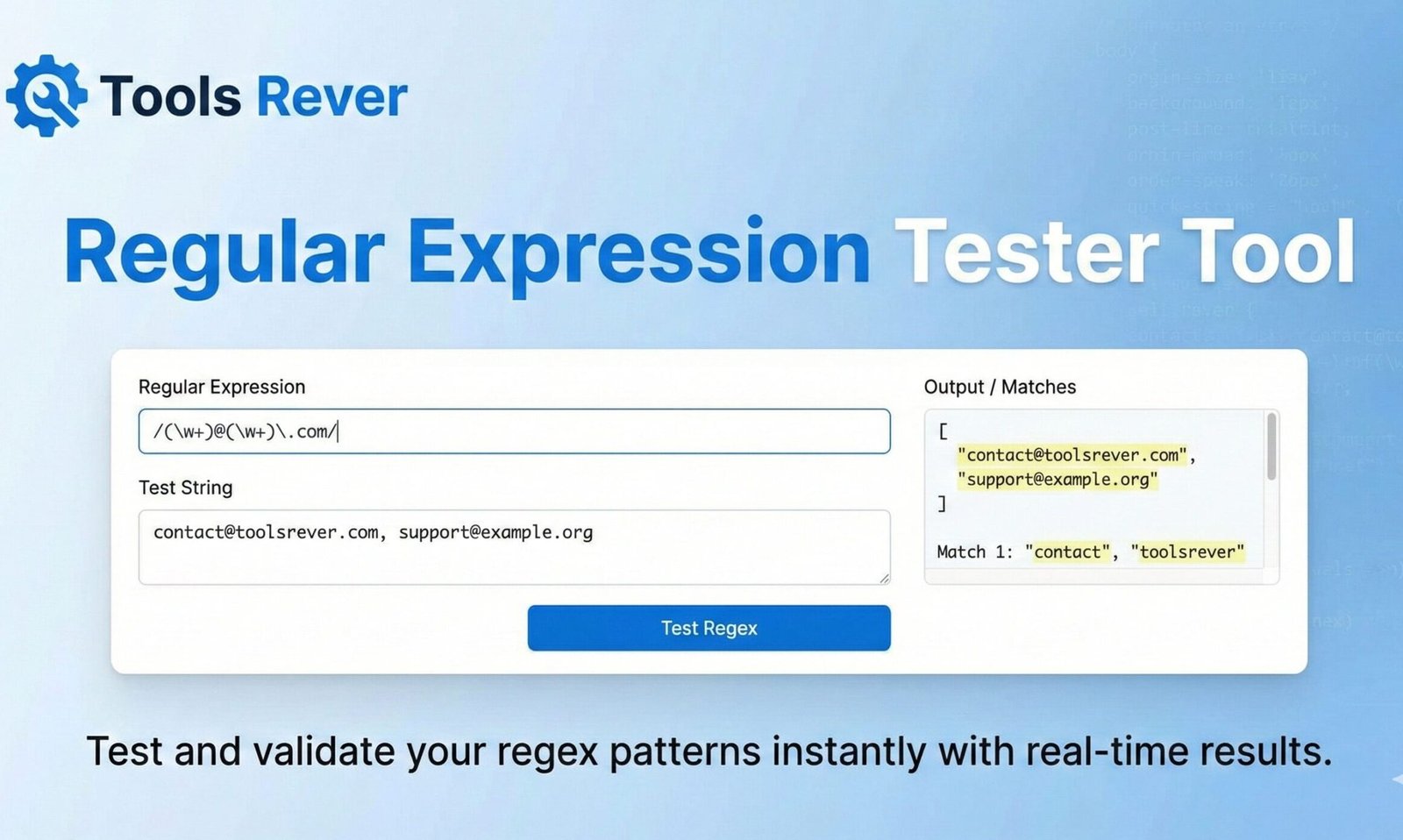
Regular Expression Tester
About this tool: Test regular expressions against input text and see matches in real-time. This tool highlights all matches and provides details about each match found.
How to use:
- Enter your regular expression pattern in the “Regex Pattern” field
- Enter the text you want to test against in the “Test String” field
- Select options like case sensitivity and global matching if needed
- Click “Test Regex” to see results
Results will appear here…
Regex Tester: Build & Debug Regular Expression Tester
Test your regular expressions online! Our Regex Tester provides real-time highlighting, detailed explanations, and match groups. Perfect for developers.
Regular Expression Tester: Master Pattern Matching and Text Manipulation
Have you ever spent hours writing a complex pattern to validate an email address, extract data from a log file, or reformat text, only to find it doesn’t work as expected? Debugging regular expressions (regex) can feel like deciphering an ancient code. A single misplaced character can break your entire pattern, leading to frustration and wasted time.
This is where a Regular Expression Tester becomes an indispensable tool in every developer’s arsenal. A Regular Expression Tester is an interactive online environment that allows you to write, test, and debug your regex patterns against sample text in real-time. It provides instant visual feedback, detailed match information, and explanations, transforming the daunting task of regex development from a guessing game into a precise, efficient process.
What Are Regular Expression Tester? The Language of Patterns
Regular expressions are a powerful sequence of characters that define a search pattern. Think of them as a super-powered “Find” function. They are a formal language used for parsing, validating, and manipulating text.
Developers use regex for tasks like:
- Validation: Checking if a string matches a format (e.g., email, phone number, ZIP code).
- Extraction: Pulling specific data from a larger text block (e.g., dates from a log file).
- Replacement: Finding and replacing text in a sophisticated way (e.g., reformatting dates).
The syntax, however, can be cryptic. A pattern like ^[a-zA-Z0-9._%+-]+@[a-zA-Z0-9.-]+\.[a-zA-Z]{2,}$ is a standard email validator. Manually checking if this works is nearly impossible without a testing tool. Our Regular Expression Tester provides the sandbox you need to build and verify these patterns with confidence.
Why a Dedicated Regular Expression Tester is a Non-Negotiable Development Tool
While you can test regex in your code editor or console, a dedicated tester offers a superior, focused workflow that accelerates development and reduces errors.
Instant Visual Feedback
The most significant advantage is real-time highlighting. As you type your pattern, the tool immediately highlights all matches in your sample text. This visual confirmation allows you to see the impact of every character you add or remove, making the learning process intuitive.
Eliminate the Code-Compile-Test Loop
Testing a regex pattern within an application requires you to run your code, which can be slow. A dedicated tester breaks this cycle, allowing for rapid iteration and experimentation without leaving your browser.
Understand Complex Patterns with Regular Expression Tester
Advanced testers can break down your regex into plain English, explaining what each segment of the pattern does. This is invaluable for learning and for debugging complex expressions written by others.
Cross-Platform Consistency
Different programming languages (Python, JavaScript, Java, etc.) can have slight variations in regex flavor. A good tester allows you to select your target language, ensuring your pattern will work correctly when you implement it.
Key Features of a Powerful Regular Expression Tester
A basic tester lets you input a pattern and some text. A powerful tool, like the one we provide, offers a suite of features for professional development.
1. Real-Time Match Highlighting
As you type, the tool highlights all matches in your test string. It often uses different colors to indicate different capture groups, providing immediate visual understanding.
2. Match Information and Capture Groups
The tool lists all matches and, crucially, displays the contents of each capture group (the parts of the pattern in parentheses). This is essential for verifying you are extracting the correct data.
3. Regex Flavor Selection
The ability to switch between regex engines (e.g., PCRE for PHP, JavaScript, Python) ensures your pattern uses the correct syntax and features for your specific programming environment.
4. Substitution and Replacement
A full-featured tester includes a “replace” field. You can define your regex pattern, see the matches, and then write a replacement pattern to see the final output string, which is vital for search-and-replace operations.
5. Reference and Cheat Sheets
Integrated regex references, explaining what \d, \w, *, +, and ? mean, help both beginners and experts who need a quick reminder.
Just as a Regex Tester helps you manipulate text, you often need to manipulate images for your projects. For quick and easy image sizing, use our Image Resizer tool.
Core Regex Syntax: A Beginner’s Guide to Building Blocks
Understanding the basic components is key to using the tester effectively.
- Literals: Ordinary characters like
aor1that match themselves. - Metacharacters: Characters with special meaning, such as:
.– Matches any single character (except a newline).\d– Matches any digit (0-9).\Dmatches any non-digit.\w– Matches any word character (a-z, A-Z, 0-9, _).\Wmatches non-word characters.\s– Matches any whitespace character (space, tab, newline).
- Quantifiers: Define how many times a character or group can appear.
*– Zero or more times.+– One or more times.?– Zero or one time (makes the preceding token optional).{3}– Exactly 3 times.{3,5}– Between 3 and 5 times.
- Anchors: Define the position in the string.
^– Start of the string.$– End of the string.
- Character Classes: Define a set of characters to match.
[aeiou]– Matches any single vowel.[a-z]– Matches any lowercase letter.[^0-9]– Matches any character that is NOT a digit (the^inside brackets negates the set).
Step-by-Step Guide: Using Our Regular Expression Tester to Solve a Problem
Let’s solve a common problem: extracting a phone number from a text.
Sample Text:Please contact support at (555) 123-4567 or sales at (444) 987-6541 for assistance.
Goal: Write a regex to match the phone numbers in the format (555) 123-4567.
- Open the Regular Expression Tester: Navigate to our Regular Expression Tester.
- Paste Sample Text: Paste the sample text above into the “Test String” area.
- Build the Pattern Step-by-Step:
- Start with the literal opening parenthesis:
\(. (The backslash escapes the special(character). - We expect 3 digits:
\d{3}. - A closing parenthesis and space:
\). - Then 3 digits:
\d{3}. - A hyphen:
-. - Finally, 4 digits:
\d{4}.
\(\d{3}\) \d{3}-\d{4} - Start with the literal opening parenthesis:
- Analyze the Result: The moment you enter this pattern, the two phone numbers in your sample text will be highlighted. The “Match Information” section will show you the exact text that was captured.
Common Real-World Regex Patterns and Examples
Here are some practical patterns you can test and modify in the tool.
Email Validation (Basic)
Pattern: ^[a-zA-Z0-9._%+-]+@[a-zA-Z0-9.-]+\.[a-zA-Z]{2,}$
Explanation: This checks for a standard email format. It’s a great pattern to paste into the tester and use the “explain” feature to understand each part.
URL Extraction
Pattern: https?://[^\s]+
Explanation: Matches HTTP or HTTPS URLs. The ? makes the ‘s’ optional. [^\s] matches any character that is not a whitespace.
Date Format (MM/DD/YYYY)
Pattern: \b(0[1-9]|1[0-2])\/(0[1-9]|[12][0-9]|3[01])\/(19|20)\d{2}\b
Explanation: This more complex pattern matches dates while validating the month (01-12) and day (01-31) ranges.
Best Practices for Writing Efficient Regular Expression Tester
- Test with Diverse Data: Always test your regex with strings that should match AND strings that should not match to ensure accuracy.
- Use Online Regular Expression Tester: Always use a tool like ours for development before embedding regex in your code.
- Comment Complex Patterns: For very long patterns, use the
(?#comment)syntax or your language’s equivalent to add comments. - Be Specific: Avoid overly broad patterns like
.*?when you can be more precise, as they can lead to performance issues (“catastrophic backtracking”). - Consider Readability: Sometimes, a complex regex is better broken into multiple simpler steps in code for maintainability.
The Mozilla Developer Network (MDN) provides an excellent, deep dive into JavaScript’s regex flavor, which is a great external resource for understanding the fundamentals.
Frequently Asked Questions (FAQs)
Why does my regex work in the tester but not in my code?
What is the difference between . and .? in regular expressions?**
How can I match a string that contains a specific word?
Conclusion: Elevate Your Coding Workflow with Precision Testing
A Regular Expression Tester is more than a convenience; it’s a catalyst for efficiency and understanding. It bridges the gap between abstract pattern theory and practical, working code. By providing immediate feedback and deep insights into how your patterns behave, it reduces development time, minimizes bugs, and serves as a powerful educational tool. In the world of text processing, mastering regex is a superpower, and a dedicated tester is the training ground where that power is honed.
Stop guessing and start knowing. Ready to write, test, and perfect your regular expressions with confidence? Use our free, feature-rich Regular Expression Tester tool now and transform the way you manipulate and validate text!