
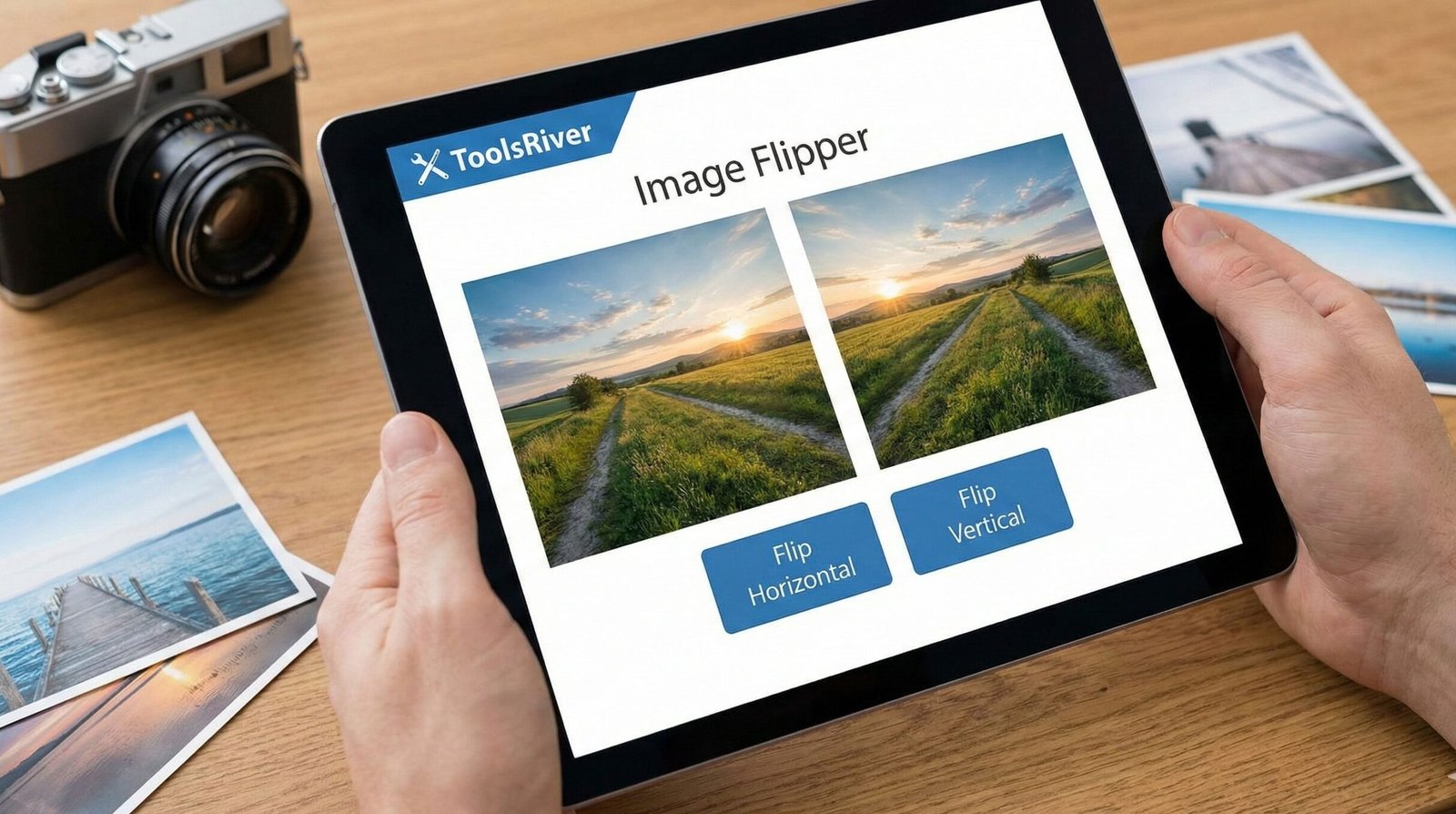
🔄 Pro Image Flipper
Flip, Rotate, and Transform with precision
Drop image here or click to browse
Supports JPG, PNG, GIF, WebP
🔄 Rotation
Original
Result
Free Image Flipper Tool | Flip Photos Horizontally & Vertically
Flip any image online for free! Our Image Flipper tool mirrors photos horizontally & vertically instantly. No sign-up. Perfect for fixing selfies and creating designs.
Unleash Creativity with Our Free Online Image Flipper
Have you ever taken a perfect selfie, only to find the text on your t-shirt is backwards? Or perhaps you're a designer looking to create a symmetrical logo pattern? The solution is simpler than you think. An Image Flipper is a powerful, yet often overlooked, editing tool that can solve these problems in a single click. This comprehensive guide will explore everything you need to know about flipping images and how our free online Image Flipper tool can streamline your workflow, enhance your creativity, and fix common photo issues. Whether you're a professional graphic designer or a casual social media user, mastering the art of flipping images is an essential skill in today's visual world.
What is an Image Flipper?
At its core, an Image Flipper is a digital tool that creates a mirror image of your original photo. It doesn't simply rotate the picture; it reverses the image along a specific axis. Think of it like looking at your reflection in a mirror – that's the effect of flipping an image.
This process is fundamental in digital image processing. It changes the orientation and perspective of your visual content. This can be done for creative, corrective, or compositional reasons. Our tool makes this advanced functionality accessible to everyone, directly in your web browser.
Horizontal Flip vs. Vertical Flip: What's the Difference?
Understanding the two primary types of flips is crucial for using the tool effectively. They produce dramatically different results.
Horizontal Flip (Mirror Flip)
A horizontal flip creates a mirror image by reversing the picture from left to right.
- Analogy: It's like reflecting your image in a vertical mirror.
- Example: A person facing left in the original photo will face right after a horizontal flip. Text will be reversed, making it unreadable.
- Common Use Case: Fixing the "selfie camera mirror effect," creating symmetrical designs, or changing the direction a subject is facing.
Vertical Flip
A vertical flip reverses the image from top to bottom.
- Analogy: It's like reflecting your image in a puddle of water on the ground.
- Example: The sky in your photo would appear at the bottom, and the ground at the top.
- Common Use Case: Creating interesting abstract art, generating water reflection effects, or inverting images for specific design layouts.
Why Would You Need to Flip an Image? 8 Powerful Use Cases
The applications for a flipped image are vast and span across various fields and hobbies. Here are the most common reasons people use our Image Flipper:
- Fixing Selfies and Webcam Photos: Most smartphone front cameras capture a mirrored image by default. Flipping it horizontally restores it to the orientation others expect to see.
- Creating Perfect Symmetry: Designers often flip elements horizontally to create balanced and harmonious logos, patterns, and illustrations.
- Improving Composition: Changing the direction a subject is facing can dramatically alter the feel of a photo, guiding the viewer's eye through the image more effectively.
- Designing for T-Shirts and Mugs: When creating designs for print-on-demand products, you often need to flip the artwork to ensure it appears correctly on the final product.
- Generating Water Reflection Effects: A vertical flip is the first step in creating a realistic-looking water reflection in landscape photos.
- Preparing Social Media Graphics: For platforms like Instagram and Facebook, flipping an image can make your content stand out in a crowded feed.
- Correcting Text Direction: If you've taken a photo of a sign or a book cover and the text is backwards, a horizontal flip will correct it.
- Solving Puzzles and Playing Games: Some puzzles or AR games require a mirrored image to solve a challenge or see a hidden message.
How to Use Our Free Image Flipper Tool: A Step-by-Step Guide
Our tool is designed for maximum simplicity and speed. You don't need any technical expertise.
- Upload Your Image: Click the "Upload" button and select the image from your computer, or simply drag and drop it into the designated area. We support JPG, PNG, WEBP, and other common formats.
- Choose Your Flip Direction: Select either the "Flip Horizontally" or "Flip Vertically" button. You will see a live preview of the change.
- Process and Download: Once you're happy with the preview, click the "Download" button. Your newly flipped image will be saved to your device in high quality.
It’s that easy! No watermarks, no registration, and completely free. For other basic image adjustments, you can also check out our versatile <a href="www.toolsriver.online/image-resizer" target="_blank">Image Resizer</a> tool.
The Technical Side: How Does an Image Flipper Work?
For the curious minds, flipping an image is a straightforward algorithmic process. The software maps the pixels of the original image to a new location in the flipped image.
- Horizontal Flip Algorithm: For an image with a width of
Wpixels, the pixel at position(x, y)in the original image is moved to position(W - x, y)in the new image. - Vertical Flip Algorithm: For an image with a height of
Hpixels, the pixel at position(x, y)is moved to position(x, H - y).
This pixel-level manipulation is what allows for the instant and precise mirroring effect. As explained by experts at <a href="https://www.photoshop.com/" target="_blank">Adobe Photoshop's official resource page</a>, this is a foundational technique in raster graphics editing.
Best Practices for Flipping Images Like a Pro
To get the most out of your image flipping, keep these tips in mind:
- Check for Text: Always remember that any text in the image will become mirrored and unreadable after a horizontal flip.
- Consider Asymmetry: Flipping a portrait can feel unsettling because human faces are not perfectly symmetrical. A flipped face can look "off" to people familiar with the original.
- Use for Composition: Flip landscapes to see if the new orientation creates a better flow or balance.
- Maintain Quality: Our tool uses lossless processing for supported formats, ensuring your image quality remains intact after the flip.
Frequently Asked Questions (FAQs)
Will flipping my image reduce its quality?
Can I flip an image back to its original state?
Is it legal to flip an image?
Conclusion: Flip Your Perspective with a Single Click
Flipping an image is a deceptively simple edit that can correct errors, spark new ideas, and unlock creative potential. It’s an essential tool for anyone who works with digital visuals. Our free online Image Flipper removes all the technical barriers, giving you the power to mirror your images horizontally or vertically in seconds. It’s fast, secure, and requires no software installation.
Stop struggling with backwards selfies and unbalanced designs. Try our Image Flipper tool now and see how a simple flip can transform your photos and creative projects and also Check for jobs update visit this website .