
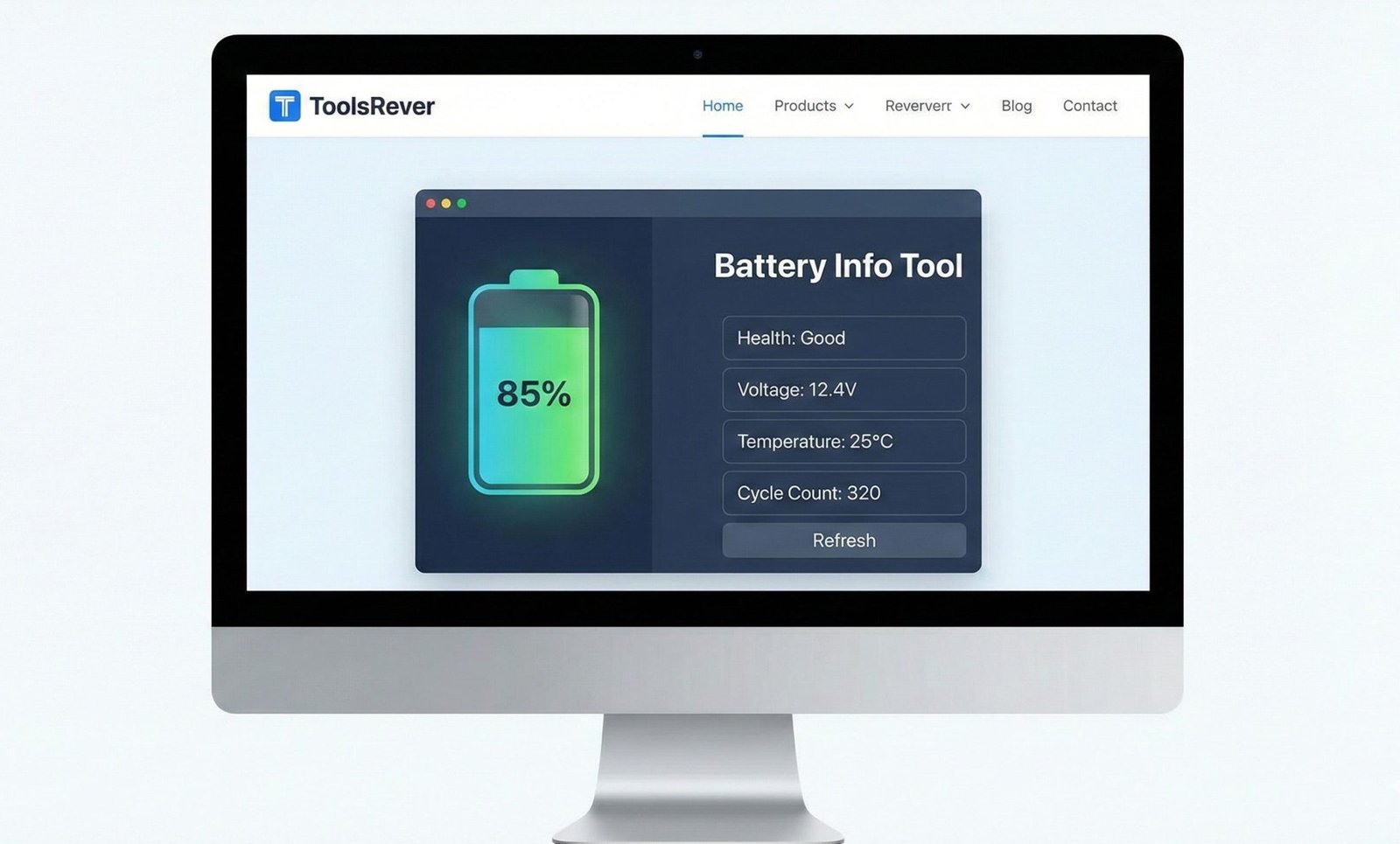
Battery Info Tool
Monitor your device’s battery status in real-time with this comprehensive Battery Info Tool. Get detailed information about your battery level, charging status, and estimated time remaining.
How to use: Simply view this page on a device with a battery (laptop, phone, or tablet), and it will automatically display your current battery information. Click “Refresh Data” to update the battery status.
Battery API Not Supported
Your browser or device doesn’t support the Battery Status API. This tool requires a modern browser on a device with a battery (laptop, phone, or tablet).
- Lower your screen brightness when possible
- Turn off Wi-Fi and Bluetooth when not in use
- Close unused applications running in the background
- Reduce screen timeout to the minimum comfortable setting
- Use dark mode on devices with OLED screens
- Keep your device cool – high temperatures can damage battery health
- Avoid charging your device to 100% constantly – keeping it between 20-80% extends battery life
Battery Info Tool: Check Health & Performance
Instantly analyze your device’s battery health, capacity, and charging status. Our free Battery Info Tool helps optimize performance and extend battery lifespan.
Battery Info Tool: Unlock Critical Insights to Extend Your Device’s Battery Life
Is your phone dying unexpectedly? Are you constantly searching for a charger, wondering if it’s time for a battery replacement? Modern devices hide critical battery health information behind complex menus, leaving users guessing about their battery’s true condition. This lack of transparency leads to poor performance, unexpected shutdowns, and premature device replacement. This is where a Battery Info Tool becomes an essential utility for every device owner. A Battery Info Tool is a web-based or system-level application that reads and displays detailed, real-time information about your device’s battery. By using a Battery Info Tool, you can move from guessing to knowing—monitoring your battery’s health, optimizing its performance, and making informed decisions that can significantly extend its usable lifespan.
What is a Battery Info Tool and How Does It Work?
A Battery Info Tool is a diagnostic utility that interfaces with your device’s Battery Management System (BMS). The BMS is a sophisticated electronic circuit that monitors and manages the battery’s state, including its voltage, temperature, charge cycles, and overall health.
The tool works by querying the BMS through standardized APIs provided by the operating system (like the Web Battery API for browsers or system APIs for native apps). It doesn’t perform any physical tests; instead, it translates the technical data from the BMS into a human-readable format.
Using our Battery Info Tool provides you with a clear window into this otherwise hidden data. It empowers you with the same kind of diagnostic information that technicians use, allowing you to take proactive steps to maintain your device.
Why Monitoring Your Battery Health is Non-Negotiable
Your device’s battery is its lifeline. Understanding its condition is not just about convenience; it’s about maximizing your investment and ensuring reliable performance.
Preventing Unexpected Shutdowns and Data Loss
A degraded battery can cause your device to shut down suddenly, even when the charge indicator shows 20-30% remaining. This can lead to lost work, corrupted files, and immense frustration. A Battery Info Tool can warn you of this behavior before it causes a critical problem.
Making Informed Repair vs. Replacement Decisions
Replacing a smartphone or laptop battery can be expensive. Knowing the exact health percentage helps you decide if a battery replacement is cost-effective or if the device is nearing the end of its overall life, saving you from unnecessary repairs.
Optimizing Device Performance
Modern processors dynamically adjust their speed based on the battery’s ability to deliver power. A weak battery can throttle your device’s performance, making it feel slow and unresponsive. Monitoring your battery health explains this performance degradation.
Key Metrics Revealed by a Professional Battery Info Tool
A powerful tool goes beyond just showing a percentage. It provides a comprehensive dashboard of your battery’s vital signs.
1. Battery Level (Charge Percentage)
This is the most familiar metric—the current charge level from 0% to 100%. Our tool displays this in real-time, giving you a precise reading.
2. Charging Status
Is the battery charging, discharging, or fully charged? The tool shows the current state and can often estimate the time remaining until full charge or complete discharge.
3. Battery Health (Maximum Capacity)
This is the most critical metric for long-term planning. It shows your battery’s maximum capacity as a percentage of its original design capacity. A new battery is 100%. As it ages, this number decreases. Industry standards, like those from Battery University, suggest that a battery is considered consumed when it reaches approximately 80% of its original capacity.
4. Cycle Count
A charge cycle is counted every time you use 100% of your battery’s capacity, not necessarily from a single charge. Manufacturers typically design batteries to withstand a certain number of cycles (e.g., 500-1000 cycles) before significant degradation occurs.
5. Voltage and Temperature
These are more technical metrics. Voltage indicates the electrical potential, and temperature is critical because excessive heat is the primary enemy of lithium-ion batteries, accelerating their degradation.
How to Use Our Online Battery Info Tool
Our web-based tool is incredibly simple to use and requires no installation, making it accessible from any modern browser.
- Navigate to the Tool: Simply visit the Battery Info Tool page on your device.
- Grant Permission: When prompted, allow the tool to access your battery information. This is a standard and secure browser permission.
- View Your Real-Time Dashboard: Instantly, the tool will display a comprehensive overview of your battery’s current status, including level, charging state, and health metrics.
- Monitor Over Time: For the most accurate health assessment, use the tool periodically (e.g., once a month) to track how your battery’s maximum capacity is changing over time.
Just as a Battery Info Tool helps you monitor your device’s health, ensuring your digital files are the right size is crucial for performance. For that, you can use our Image Resizer tool.
Understanding Battery Degradation: The Science of Aging Batteries
All rechargeable lithium-ion batteries degrade over time due to two irreversible chemical processes:
- Cycle Aging: The slow breakdown of the anode and cathode materials with each charge and discharge cycle.
- Calendar Aging: The natural degradation that occurs over time, regardless of use, accelerated by high temperatures and high states of charge.
According to research published by the Electrochemical Society, storing a battery at 100% charge and high temperature is one of the fastest ways to reduce its lifespan. A Battery Info Tool helps you understand the results of these processes on your specific device.
Best Practices for Extending Your Battery’s Lifespan
Armed with data from your Battery Info Tool, you can adopt habits that significantly slow down degradation.
Avoid Extreme States of Charge
Try to keep your battery between 20% and 80% for daily use. Avoid frequently draining it to 0% or consistently charging it to 100% and leaving it plugged in.
Manage Heat Exposure
Never leave your device in a hot car or in direct sunlight. Heat is a battery’s worst enemy. If your device feels hot during charging or use, give it a break.
Use Official or Certified Chargers
Cheap, uncertified chargers can provide unstable voltage and current, damaging the battery’s management system and the cell itself over time.
Enable Optimized Charging Features
Modern operating systems (like iOS and Android) have built-in features that learn your routine and delay charging past 80% until you need to use it. Always enable these features.
Case Study: How a Freelancer Saved $800 on a Laptop Replacement
A graphic designer was experiencing severe performance issues with her two-year-old laptop. It was slow, and the battery lasted less than an hour. She assumed the entire laptop was failing and budgeted for an $800 replacement.
Before purchasing, she used our Battery Info Tool. It revealed that the battery health was at 68%—well below the 80% threshold—and the cycle count was very high. However, all other hardware components were functioning correctly.
The Solution: Instead of buying a new laptop, she spent $150 on a genuine manufacturer battery replacement. After the replacement, the laptop’s performance returned to normal because the processor was no longer being throttled by the weak battery. The Battery Info Tool provided the data needed to make an informed, cost-effective decision.
Frequently Asked Questions (FAQ)
Is it safe to use a web-based Battery Info Tool?
Why does my new device already show less than 100% battery health?
How accurate is the battery health percentage?
Conclusion: Take Control of Your Device’s Power and Longevity
Ignoring your battery’s health is like ignoring the check engine light in your car—it might run fine for a while, but eventually, it will lead to a breakdown. A Battery Info Tool demystifies the most critical component of your mobile device, transforming you from a passive user into an informed owner. With clear data on health, cycles, and performance, you can optimize charging habits, troubleshoot problems, and ultimately extend the functional life of your device by months or even years.
Stop guessing about your battery’s health. Start knowing. Ready to see the true state of your battery? Use our free, instant Battery Info Tool now and gain the insights you need to power your device smarter and longer!