
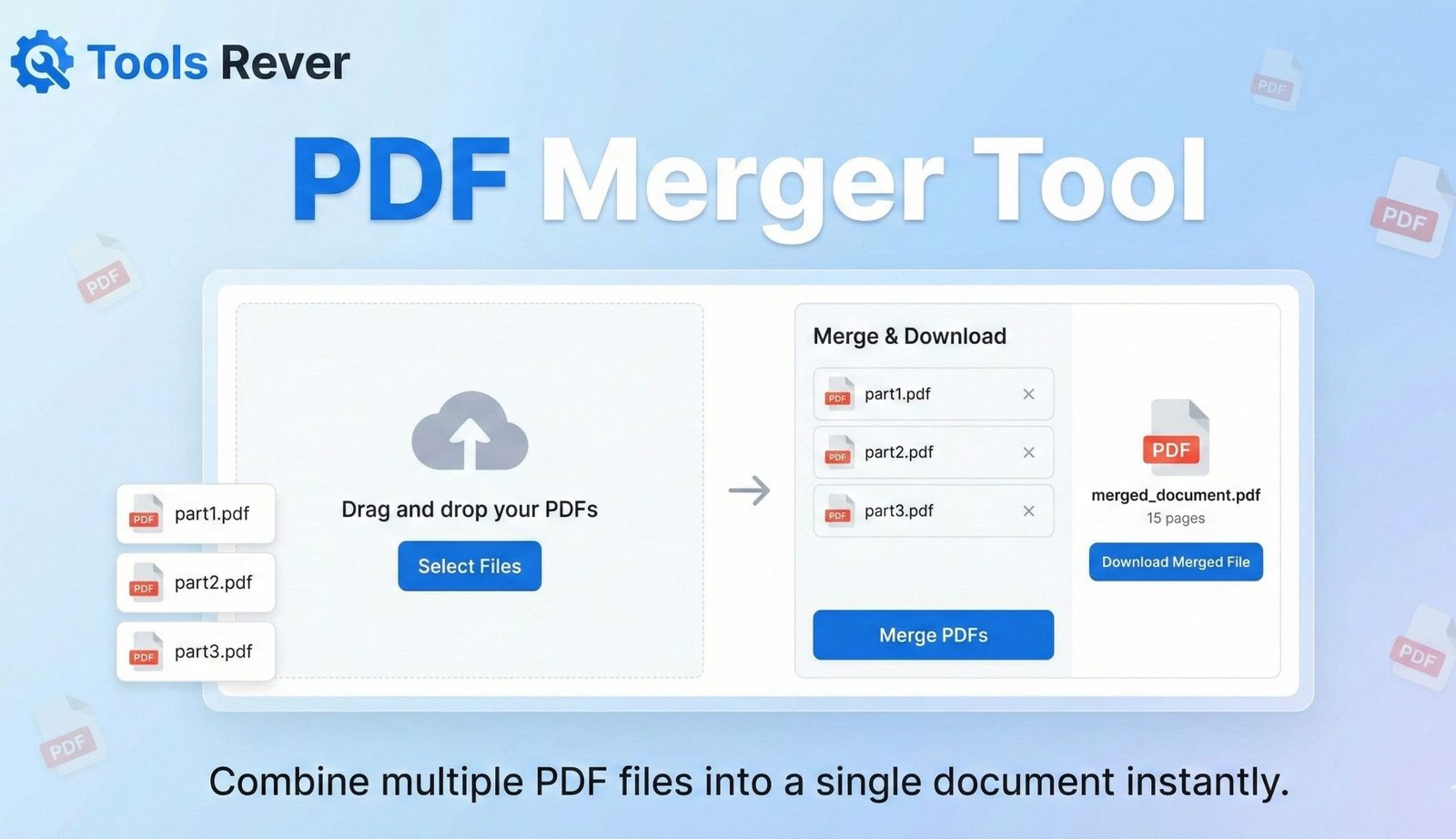
PDF Merger
Combine multiple PDF files into a single document
About This Tool
Our PDF Merger allows you to combine multiple PDF files into a single comprehensive document. This is perfect for creating reports, compiling research, or organizing related documents into one easy-to-manage file.
The merger maintains all original content, including text, images, and formatting, ensuring your final document looks professional and cohesive.
Upload PDF Files
Drag & drop multiple PDF files here or click to browse
Selected Files
No files selected yet.
How to Use
Benefits of Merging PDFs
Organization
Keep related documents together in a single file for better organization and easier sharing.
Simplified Sharing
Share one file instead of multiple attachments, making communication more streamlined.
Professional Presentation
Create comprehensive reports or proposals with all information in one cohesive document.
PDF Merger: Combine Multiple PDFs into One File
Merge PDF files online for free. Our PDF Merger combines multiple documents into one while preserving quality and order. No watermarks, no registration.
PDF Merger: The Ultimate Solution for Organizing Your Digital Documents
Are you tired of managing a dozen separate PDF files for a single project, presentation, or application? Juggling multiple documents is inefficient, unprofessional, and creates unnecessary digital clutter. Manually copying and pasting content between PDFs is not a viable solution and often results in formatting disasters.
This is where a PDF Merger becomes an indispensable tool for students, professionals, and anyone who works with digital documents. A PDF Merger is an online utility that seamlessly combines multiple Portable Document Format (PDF) files into a single, unified document. By using a PDF Merger, you can streamline your workflow, present information cohesively, and maintain a professional standard of organization with just a few clicks.
What is a PDF Merger and How Does It Work?
A PDF Merger is a sophisticated software tool designed to concatenate, or join together, the content of two or more PDF files into one new PDF document. It works by deconstructing the source files, understanding their internal structure—including pages, fonts, images, and bookmarks—and then reassembling them in a specified sequence within a new PDF container.
The process is far more complex than a simple file append operation. A high-quality merger must:
- Parse File Structure: Interpret the complex object-oriented structure of each input PDF.
- Merge Resources: Combine font libraries, color spaces, and other shared resources without conflicts.
- Preserve Integrity: Maintain the original formatting, image quality, and hyperlinks from all source documents.
- Reconstruct Navigation: Optionally merge bookmarks, page labels, and other metadata into a cohesive whole.
Our PDF Merger tool handles this technical complexity behind the scenes, delivering a polished, professional-grade combined PDF without requiring any technical knowledge from you.
Why Merging PDFs is a Critical Digital Skill
In today’s paperless offices and digital workflows, the ability to consolidate information is not just convenient—it’s essential for productivity and professionalism.
Enhanced Organization and Portability
A single, well-named PDF file is infinitely easier to manage, email, and archive than a fragmented collection. It reduces the risk of losing parts of a document set and ensures all related information travels together.
Professional Presentation
Submitting a project report, business proposal, or client portfolio as a single, flowing document creates a much stronger impression than sending a series of disjointed files. It demonstrates thoroughness and attention to detail.
Streamlined Digital Processes
Many online application portals, publishing platforms, and document management systems have strict limits on the number of files you can upload. Merging related documents into a single PDF is often the only way to comply with these requirements.
Improved Collaboration and Review
When collaborating with a team, having all relevant materials in one document ensures everyone is looking at the complete picture. It simplifies the review process and prevents confusion about document versions or order.
How to Use Our Online PDF Merger Tool
Our tool is designed for maximum simplicity. You can combine dozens of PDF files in less than a minute.
- Upload Your PDF Files: Click the “Upload Files” button and select all the PDFs you want to merge from your computer. You can also drag and drop files directly into the browser window.
- Arrange the Order: Once uploaded, you will see a list of your files. Use the drag-and-drop interface to arrange them in the exact sequence you want them to appear in the final document. The order is critical!
- Review and Confirm: Double-check the file order. Our tool displays page counts for each document, giving you a clear overview of the final document’s length.
- Click “Merge PDFs”: Initiate the merging process. Our servers will securely process your files.
- Download Your Merged PDF: Within seconds, your new, combined PDF will be ready. Click the download button to save it to your device. The process is complete!
Key Features of a Professional PDF Merger
A basic combiner might just stick pages together. A powerful tool, like the one we provide, offers features that handle real-world document complexity.
Intuitive Drag-and-Drop Interface
The ability to visually arrange files with simple dragging is a game-changer for productivity. It eliminates the frustration of trying to guess the upload order and then having to re-upload everything if you make a mistake.
High-Speed Processing
Leveraging optimized server infrastructure, our tool can merge large PDFs—totaling hundreds of pages—in a matter of seconds, not minutes. This efficiency is crucial when you’re working under deadline pressure.
Quality and Formatting Preservation
The highest priority of any merger is to maintain 100% of the original quality. Our tool ensures that all text remains selectable, vector graphics stay sharp, and images retain their high resolution, with no pixelation or distortion.
Strong Security and Privacy
We understand that your documents are often confidential. Our tool uses secure SSL encryption during transfer and automatically deletes all uploaded files from our servers after a short period, ensuring your data remains private.
Just as a PDF Merger organizes your documents, ensuring your images are the right size organizes your visual content. For that, you can use our Image Resizer tool.
Practical Use Cases: Who Needs a PDF Merger and Why?
The applications for this tool span nearly every industry and personal situation.
For Students and Academics
- Thesis Submission: Combine your cover page, abstract, chapters, bibliography, and appendices into a single, submission-ready document.
- Creating Study Guides: Merge relevant lecture slides, research paper excerpts, and your own notes into a comprehensive study packet.
For Business Professionals
- Client Proposals: Unify the cover letter, project plan, cost estimate, and terms & conditions into one professional proposal PDF.
- Financial Reporting: Combine monthly bank statements, invoices, and receipts for streamlined accounting and auditing.
- HR Onboarding: Merge all necessary forms—W-4, I-9, company policies, benefit enrollments—into a single onboarding packet for new hires.
For Legal and Real Estate Professionals
- Closing Packages: Assemble contracts, disclosures, titles, and loan documents into a single, organized file for a real estate transaction.
- Case Preparation: Merge evidence, witness statements, and legal briefs for easy reference and court filing.
For Job Seekers
- Application Packages: Combine your resume, cover letter, letters of recommendation, and portfolio samples into one file to make a powerful, complete application.
A Step-by-Step Guide: Creating a Perfect Business Report
Let’s walk through a real-world scenario to see the tool’s power.
Scenario: You need to prepare a quarterly business report for stakeholders.
Your Files:
Q3-Executive-Summary.pdf(2 pages)Q3-Sales-Figures.pdf(15 pages)Q3-Marketing-Report.pdf(10 pages)Q3-Financials.pdf(25 pages)
Process:
- You upload all four files to the PDF Merger tool.
- They appear in the upload order. You use your mouse to drag
Q3-Financials.pdfto the bottom, creating the correct sequence: Executive Summary, Sales, Marketing, Financials. - You click “Merge PDFs.”
- Within 10 seconds, you download
Q3-Business-Report-Complete.pdf, a single, 52-page document ready for distribution.
The entire process is faster than it would take to explain the task to a colleague.
The Technology Behind PDF Merging
Merging PDFs is a complex computational task because the PDF format is not a simple page description language. It is a container format that can hold a mix of text, vector graphics, raster images, and fonts, all interconnected through a cross-reference table.
According to the PDF Association, the standard now maintained by the International Organization for Standardization (ISO 32000), a robust merger must be able to reconcile potential conflicts between different files, such as duplicate font names or overlapping object IDs. Our tool uses advanced algorithms to navigate this complexity, ensuring a clean and error-free output every time.
Frequently Asked Questions (FAQ)
Is there a limit to the number or size of PDFs I can merge?
Will the merged PDF be larger than the sum of the original files?
Can I merge other file types, like Word or Excel, into a PDF?
Conclusion: Unify Your Documents and Simplify Your Workflow
A PDF Merger is more than a simple utility; it is a fundamental tool for digital organization and professional communication. It empowers you to take control of your documents, presenting your work in a consolidated, authoritative, and easily accessible format. By eliminating the hassle of multiple file attachments and the risk of lost information, it saves you time and enhances your credibility.
Stop letting scattered documents slow you down. Embrace the power of consolidation. Ready to create the perfect, unified document? Use our free, fast, and secure PDF Merger tool now and transform your collection of PDFs into a single, professional file in seconds!